SAIT Assingment -Blog1
What is Amazon Web Services
The Aws system is the most widely adopted cloud platform as of 2021. In addition, Aws offers far more services and in-service capabilities than other cloud providers, from infrastructure technologies such as computing, storage, and databases to new technologies such as machine learning and artificial intelligence, data lake and analysis, and the Internet of Things. This allows you to move existing applications to the cloud faster, easier, and more economically and build almost anything imaginable.
What is clould
In short, cloud service is a service that stores all of the software on a super-large, high-performance computer connected to the Internet and can be used whenever necessary. In general, in order to increase storage space, hard, which is storage space, is purchased on a local computer. In addition, in order to use stored hardware, you must always have it physically. However, with cloud services, you can conveniently use the information you have saved (documents, videos, etc.) as long as you connect to the Internet anywhere, regardless of location, even if you don’t have physical hardware.
Why we need for learn AWS.
Amazon Cloud Service is the most widely used in the world as of last year. The fact that it is used by many companies means that we have more opportunities to get a job.
Aws Certification
Aws is issuing certificates through its own tests.
Certificate grades are classified as follows:
- Foundational.
- Associate.
- Professional.
- Specialty.
It is divided into the following fields:
- Basic.
- Architect.
- Developer.
- Operations
- Specialty.
Each must have experience to take the test before 2018, but the pre-test conditions have been abolished since 2018. If you’re confident, let’s try it. More information on the certificate can be found by following the link.AWS Certifivation
What do you need before learning AWS?
First of all, you have to create an account on the AWS site. AWS educate Various lecture videos are posted on the aws eduvate site. You can watch all lectures for free
After that, you have to create an account on AWS For the next 12 months, you’ll have free access to core AWS compute, storage, database, and application services within the limits of the Free Tier.
How to use the AWS site.
After signing up for the first time, there are three things to do. The first is account setting and configuration setting. Second, setting up the AWS Command Line Interface(CLD). The last thing is to setup cloud9 IDE.
-
Securing your AWS Account
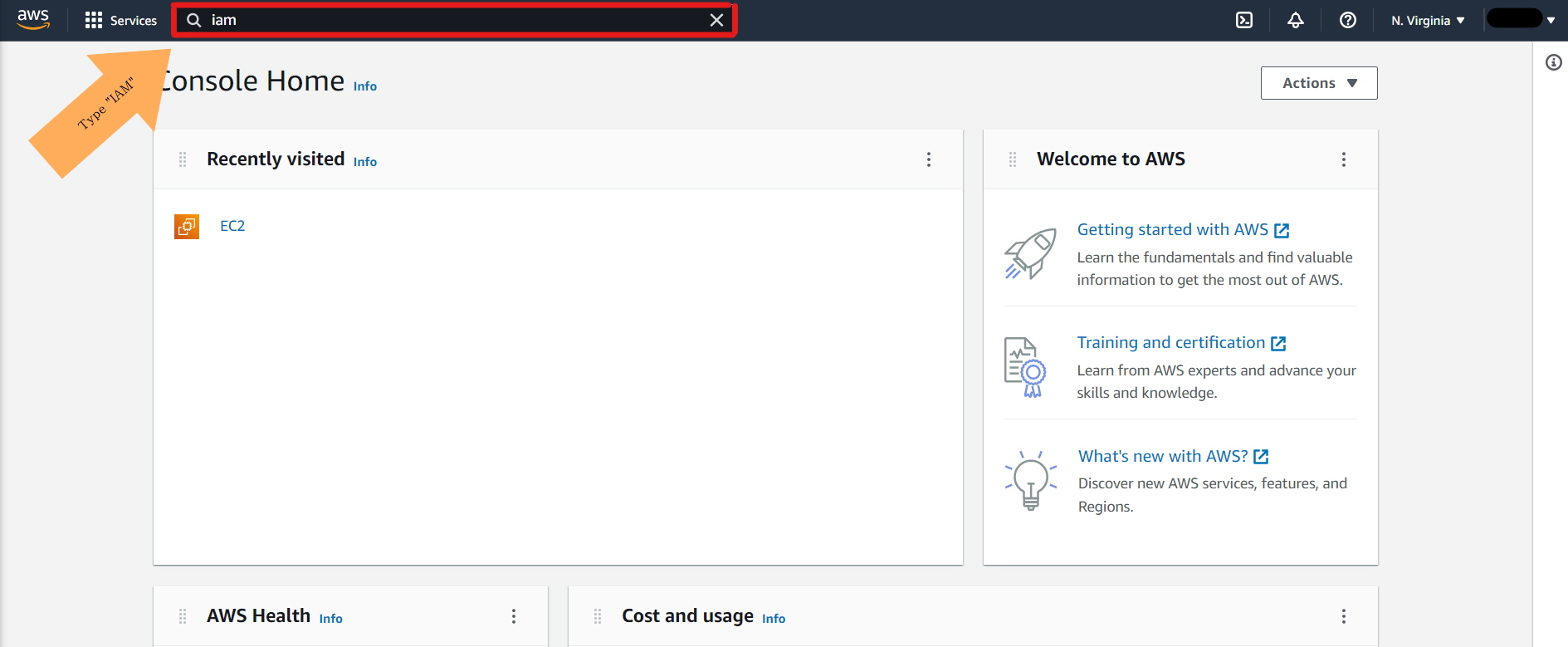
1-1. Click IAM in seraching on the screen below.
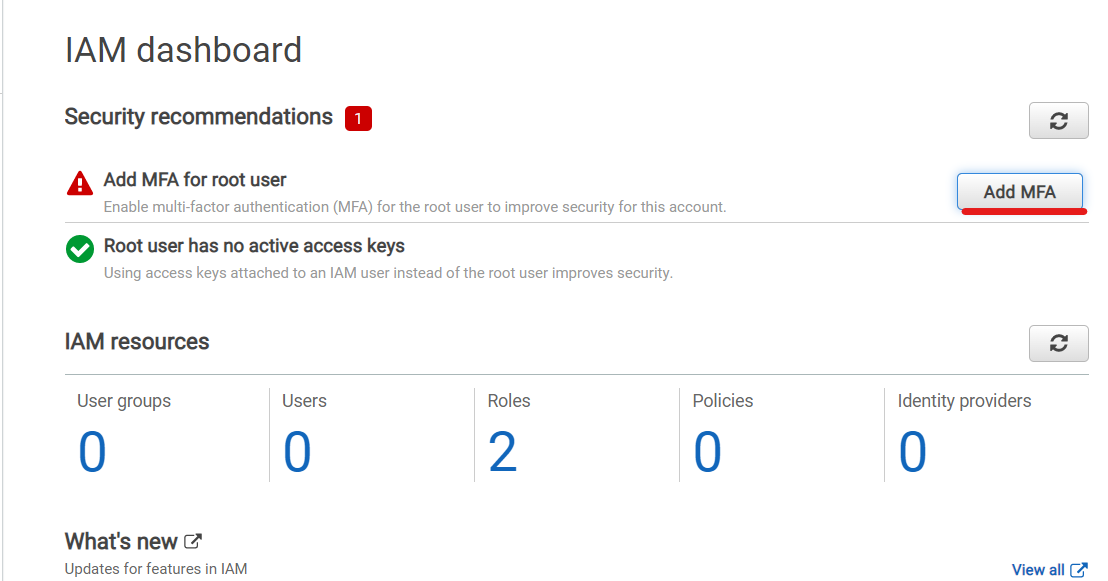
1-2. Click the Add MFA
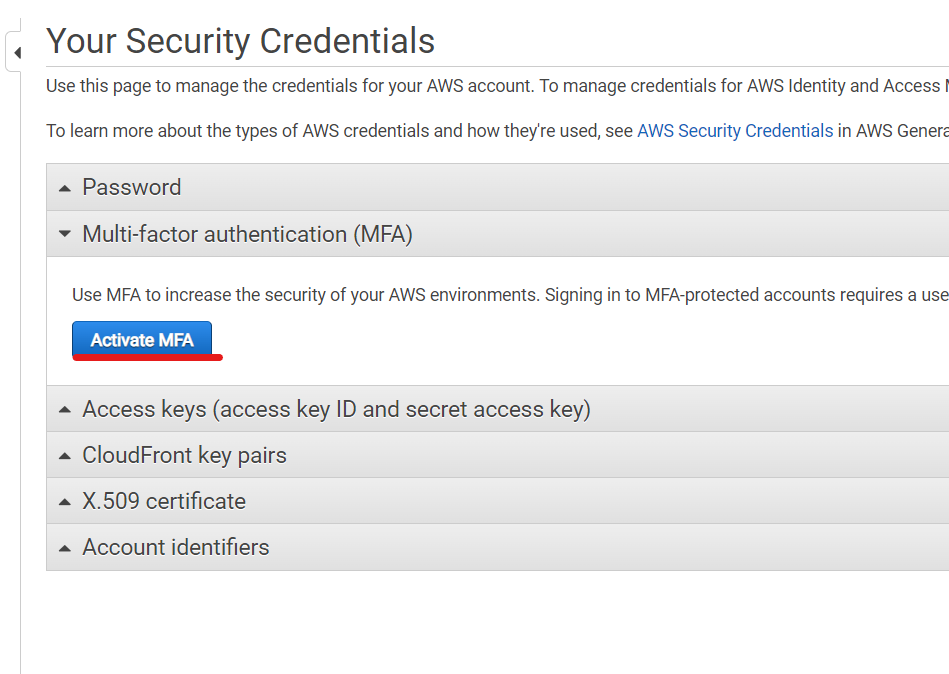
1-3. Click the Activate MFA
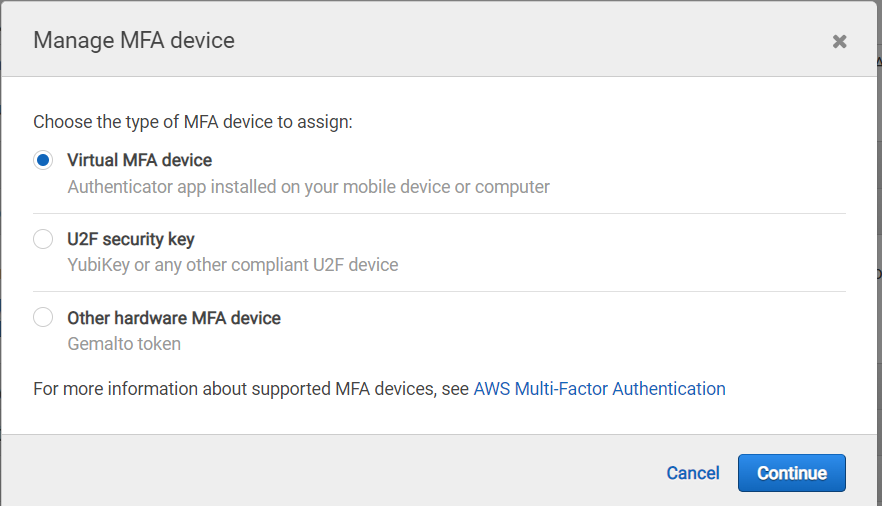
1-4. Choose Virtual MFA device
1-5. Install MFA Application on your phone
The MFA application must be installed on the mobile phone, and the applications supported by AWS are as follows. You can download what you want, but it's easier for Google Authenticator to scan with QR code. Note that if you have installed an MFA application on your phone and registered with AWS with that MFA application, you may not be able to access it through the access ROOT account if you lose that cell phone. Perhaps a solution can be found in some way, but it will not be easy.
1-6. Click the show QR Code
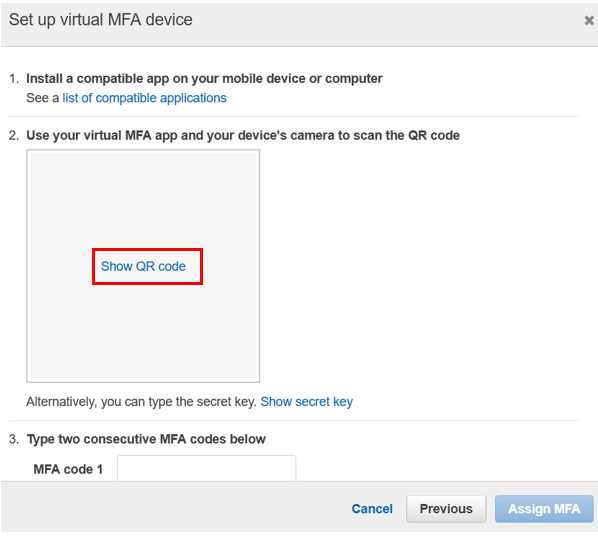
Run the QR code reder using the application on your phone and enter the code at MFA code 1 in number 3. You can see only one code, but wait about a minute to see that the code changes. After that, enter the changed code into MFA code 2 and click assign MFA.1-7. Finish Securing your AWS account
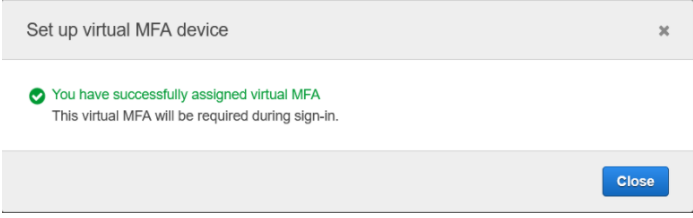
If MFA is applied, the following window can be seen. If you log out and log back in to check if it is actually confirmed normally, you will see a screen asking for the MFA code. -
Setting up the AWS Command Line Interface(CLD).
AWS CLD is an open-source tool that can interact with AWS services using commands from the command line interface, and uses AWS CLD with minimal configuration to enable commands to be implemented the same as those provided by browser-based AWS management console. This command helps you call the API of Amazon Web Services directly on the command line.It can be installed and used in each operating system macos, Ubuntu and Linux, and Windows environment. It can also be installed and used in other environments, Python package, and virtualenv, a virtual environment.
AWS CLD Explanation2-1. Follow the link below and download the file in the right environment. Dwonload
I`m install it according to the window environment.2-2. Open Cmd and type or click AWSCLIV2.msi file
Command code for setup ->” msiexec.exe /i https://awscli.amazonaws.com/AWSCLIV2.msi “2-3. click the Next
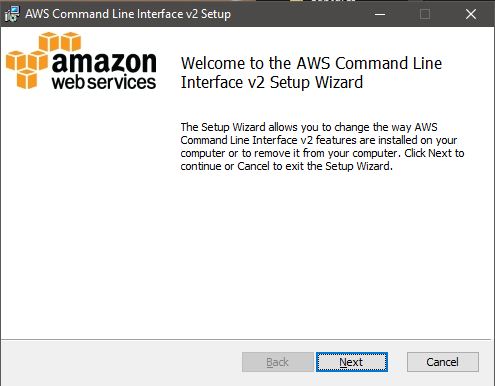
2-4. To confirm the installation, open the Start menu, search for cmd to open a command prompt window, and at the command prompt use the aws –version command.
2-5 If you can see the message you can skip from 2-6

2-6 If Windows is unable to find the program, you might need to close and reopen the command prompt window to refresh the path, or Adding the AWS CLI to your path.

2-7 open the cmd and type this command “msiexec.exe /i https://awscli.amazonaws.com/AWSCLIV2.msi” You have to know the AWS location. You use the location in your path.
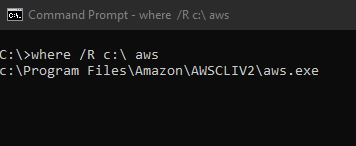
2-8 Adding the Aws CLI to your path Enter “Edit environment variables for your account” the serch section in your computer Choose Path in “User varibales for” and and click “Edit”. Now pop-up new window call Edit environment variable. click the “New” button and type the AWS location. and click ok twice. once done. you have to chceck in the cmd and type aws–version
This completes the installation
AWS uses the IAM user system to authorize other users and can be used together on the AWS console in AWS page. When accessing with your account, you can select Root users and IAM users, and in short, IAM users can be called sub-IDs. Root users can restrict or grant IAM users various rights, and these limited rights can prevent additional charges from being imposed on Root users, so be careful when creating IAM user accounts. IAM user setting method, brief introduction, and setting method for ID security will be briefly explained through video.
In the next blog, we will learn how to use the ec2 server, how to use the database RDS, and how to link to the local computer.
Leave a comment